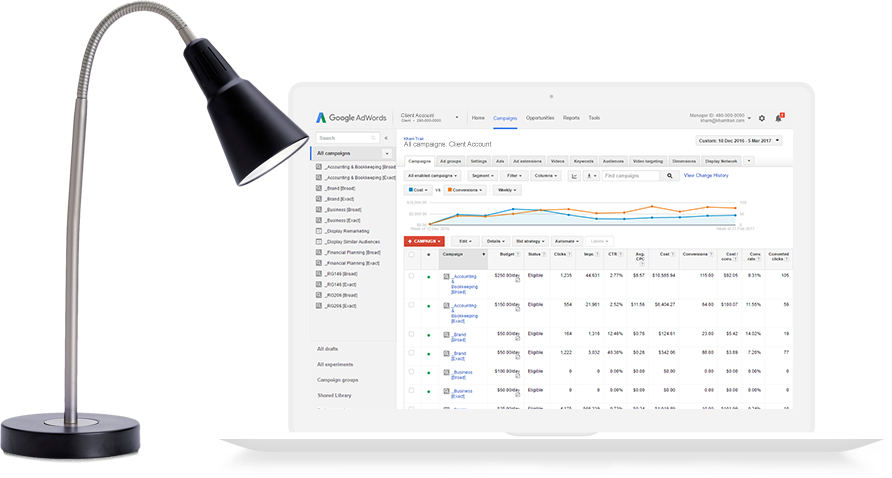
AdSense Tracking Integrated With Google Analytics
Google recently integrated AdSense performance tracking with Google Analytics. This has eliminated the need to use third party scripts and custom goals in order to track AdSense conversions.
If you are only tracking one domain (a primary domain will need to be nominated if you have additional domains) this feature can be activated simply by checking the AdSense Data optionĀ in Analytics Settings. No code changes are required.

To track additional domains you’ll need to check the AdSense Data option box as well as add a snipped of code at the top of your web pages that contain AdSense ads.

Once you’ve activated AdSense tracking and added the code (for additional domains) you should start seeing data in about 24 hours.
Google Analytics will now provide data on how your web pages containing AdSense ads are performing on a variety of metrics including revenue, number of ads clicked, page impressions, CTR and eCPM for each individual web page.
This data is also availableĀ about your website referrers which many will find useful since it gives you the ability to assess the performance of your referrers based on AdSense revenue in additional to the usual visits, page views and time spent on site.
Display Advertising Networks
Increase the earnings potential of your website with a combination of contextual and CPM based display advertising
When it comes to monetising a website most publishers turn to online advertising solutions such as Google AdSense. AdSense is primarily a contextual advertising solution although they do offer a display advertising component in their program. Revenue is typically earned on a CPC (cost per click) basis although occasionally some earnings may be CPM (cost per thousand impressions) based.
What some publishers aren’t aware of is that they can increase the earnings potential of their websites by running a primarily CPM based display advertising program alongside their existing CPC contextual ads.
With this combination the publisher will effectively earn from every visitor as revenue from CPM ads is earned each time there is an ad impression as opposed to a click. Display ads also engage the visitor differently to contextual ads so they usually won’t compete with each other.
There are quite a few display advertising networks to choose from. I have listed some of the larger networks that primarily run CPM based campaigns. It’s important to note that these networks usually have minimum traffic requirements for acceptance into their programs so make sure to check these first before applying.
If your website doesn’t currently meet minimum traffic requirements you may want to consider AdBrite which doesn’t have a minimum traffic requirement. AdBrite have a CPM based display advertising component in their program which you can select but their CPM rates are usually lower than the other networks.
Preventing Duplicate Content On WordPress Blogs
Avoid duplicate content penalties from search engines on your WordPress blog with robots.txt
A problem with the default configuration of the WordPress software is that it creates many pages with duplicate content such as the category and archive pages, tag pages and subsequent pages of the blog’s home page (page 2, 3, 4 etc). If you’ve been reading about search engine optimisation and duplicate content you’ll probably know that search engines such as Google penalise pages for duplicate content.
You can prevent search engines from accessing most of your blog’s duplicate content pages with a robots.txt file placed in your blog’s root directory. With robots.txt you can specify which pages you don’t want search engine spiders to access. Here’s what a typical robots.txt file for a WordPress blog might look like.
User-agent: * Disallow: /wp-login.php Disallow: /wp-admin/ Disallow: /wp-includes/ Disallow: /index.php? Disallow: /page/ Disallow: /category/ Disallow: /tag/
The above example basically instructs all search engine spiders not to access the specified directories and pages listed above.
The /wp-login.php, /wp-admin/, /wp-includes/ and /index.php? statements don’t serve to prevent duplicate content but are useful in preventing indexing of your WordPress system pages and your blog’s search results pages.
You may have also noticed the daily/monthly/yearly archives pages haven’t been included in the example. The reason for this is that these archive pages are structured in the same format as the post pages so including them would prevent your post pages from being accessed as well. A way around this is to use the robots.txt file together with a WordPress plugin like the All-In-One SEO Pack which utilises the robots meta tag to prevent the archive pages from being indexed. This plugin also includes many other useful search engine optimisation features as well.
Google AdSense Publishers
This part only applies to Google AdSense publishers. The above robots.txt example will also block non search engine bots such as the Mediapartners-Google bot from accessing the disallowed pages, thus affecting the relevancy of your AdSense ads.
To avoid this include the following lines at the top of your robots.txt. This will ensure the Mediapartners-Google bot is able to access all pages.
User-agent: Mediapartners-Google* Disallow: User-agent: * Disallow: /wp-login.php Disallow: /wp-admin/ Disallow: /wp-includes/ Disallow: /index.php? Disallow: /page/ Disallow: /category/ Disallow: /tag/
Google AdSense Alternatives
When it comes to making money with a website many people automatically think of Google AdSense. Google AdSense is one of several advertising programs currently available that allows website publishers to easily serve targeted text ads to their visitors and share in the advertising revenues.
What some people aren’t aware of is that there are several good advertising programs available for publishers who want an alternative to Google AdSense. Some may have not been accepted into the Google AdSense program for whatever reason or they may just want a backup program.
Below is a list of several leading text based advertising programs currently available. Some have varying conditions of acceptance into their programs based on publisher location, origin of traffic, type of website or minimum traffic requirements so make sure to check these first before applying.
- Yahoo! Publisher Network (currently accepts U.S. publishers only)
- AdBrite (accepts mature content websites)
- BidVertiser
- Clicksor
- Chitika
- Kanoodle
If you’re planning on running any of these alternatives alongside Google AdSense make sure to check the AdSense terms and conditions first as Google has restrictions on running ads from other networks that look similar or mimic AdSense ads.
How Do You Start Blogging?
Every now and then I get asked this question by people who want to start a blog of their own but simply don’t know where to begin. These are usually non technical people who have spent time reading and even commenting on the odd blog which has inspired them to want to start their own. Here are the steps to get started.
Firstly, decide on a topic that you’d like your blog to be about. It could be a personal blog or a topic focused blog like this one.
Secondly, choose a blogging platform. There are quite a few blogging platforms available ranging from user hosted (on your own server), license fee developer hosted to free developer hosted platforms. For the sake of keeping things simple (and free), I suggest starting with a free developer hosted platform like the ones listed below.
These are the leading free developer hosted platforms available and they both come with a variety of features but their core functionality remains pretty much the same. Whichever you choose, both will allow you to quite easily create and edit blog posts (blog entries) and upload photos.
Once you’ve decided on the one you want to go with simply proceed to sign up. They both provide sign up wizards with fairly simple step by step instructions that will take you through the whole setup process. It should only take somewhere between 5 to 10 minutes from start to finish to get a basic blog up and running.